Getting Started
FootieManager is an online football manager game that you play in your browser, with nothing to download. You take charge of a club in a game world shared with other managers: you pick the team, set the tactics, buy and sell players and run the club, then see how your side gets on against everyone else. This guide takes you from signing up to your first match.
1. Sign up
Sign up with your name and email address, or continue with your Google or Facebook account. Signing up is free. If you use your email address, we send you a link to confirm it: click the link, then log in.
2. Choose a game and a club
Once you have logged in, your Master Account page lists your manager logins. Click Play next to your free login, then Choose a team. The games are listed in two groups:
- Free games are free to play, with full gameplay. You can manage a maximum of one club across all the free games.
- Premier games are the full game, with extra features such as setting ticket prices, upgrading the stadium and hiring club staff. They are paid for by the season. You can manage a maximum of one club in each premier game, so you can play in several at once. See Premier Game for the details.
Each game is a world of its own, with its own leagues, clubs and managers. Every game plays its matches on a fixed timetable: most play twice a week, and some play every day. The days and time are shown in the list, so pick a game that suits how often you want to play.
Click View teams to see the clubs that need a manager, then choose yours. Some games only offer new managers a club in the lower divisions, so you may need to work your way up. If a game is full, you can join its waiting list and choose a club when one becomes free.
3. Get to know your club
Your team page is your home base. It shows your next fixture and last result, your league position and form, and the latest news from your club. You can get back to it at any time from the Team page button under the banner, or from Club > Your Team in the menu.
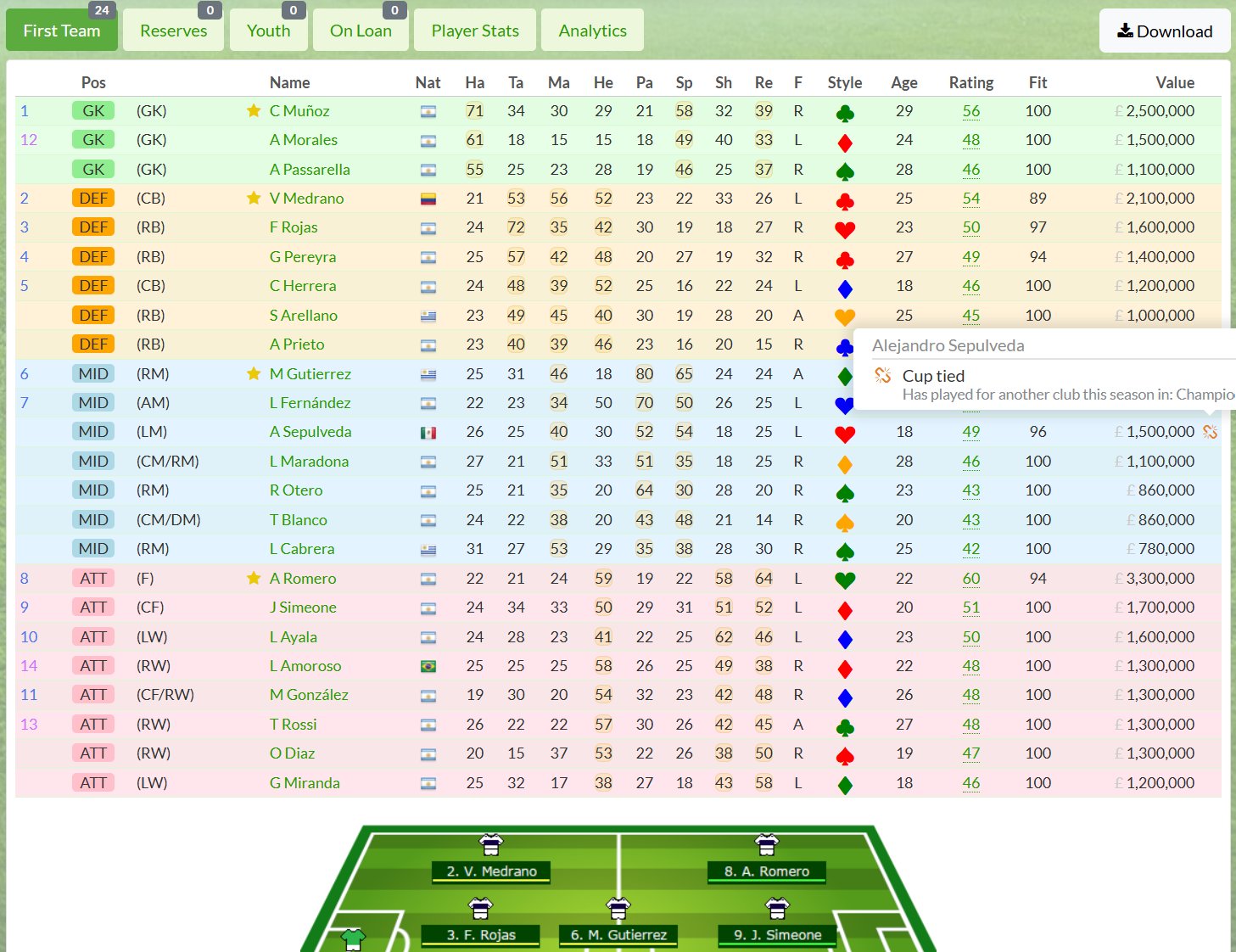
Next, look at your players in Club > Squad. Each player has a position, a rating and a fitness level, and players have a preferred position where they play best. A squad must have between 17 and 27 players.
4. Pick your team and tactics
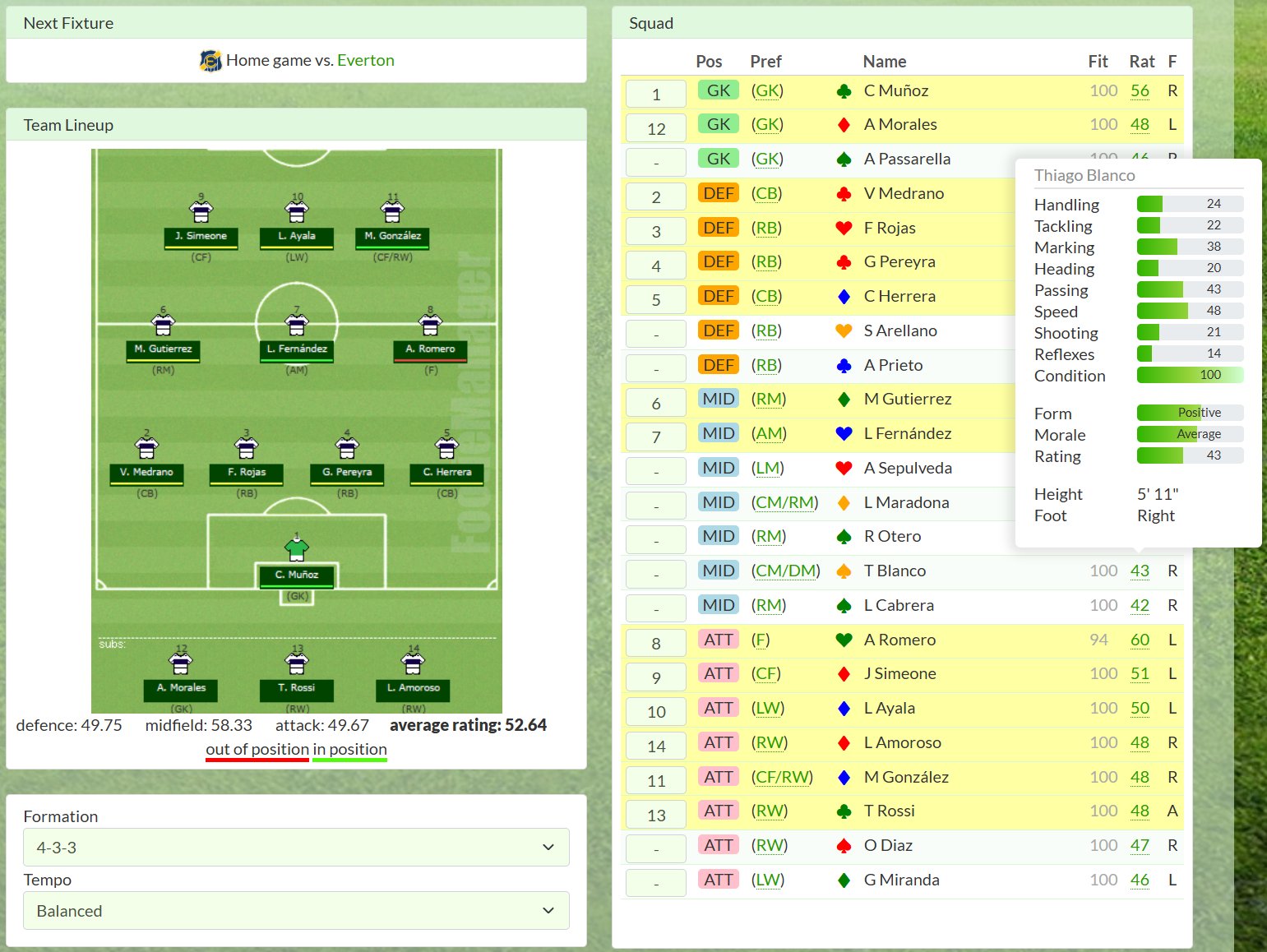
Go to Club > Tactics. Choose a formation, then pick 11 players to start and 3 substitutes. Players can play out of position, but they do not play as well there, so try to keep them in or near their preferred position.
Set the tempo, which is how hard you want your team to play: a higher tempo means more effort, but more tired legs and more bookings. Then set your tactics for defence, midfield and attack, and save. The more your team plays a tactic, the better it gets at it.
Your line-up carries over from match to match, but check and confirm it before each one, as injuries, suspensions and tired players can all spoil it. If you have not picked a valid team, your head coach picks one for you. Your Master Account page shows a tick next to each club with a valid team selection.
5. Sponsors and training
Sponsors bring in money. In Club > Sponsors, look through the deals on offer and sign the ones you want.
In Club > Training, choose what your squad works on: general training, passing, short plays, shooting or long plays. You can also pick up to two players for intensive training. Young players learn fastest, and a good coach helps everyone improve. See Training for more.
6. Match day
You do not need to be online when your matches are played. Each game plays its matches at its set time, all at once. This is called processing, and each time it happens is a turn. Most turns are league matches; midweek turns are for cup matches and friendlies.
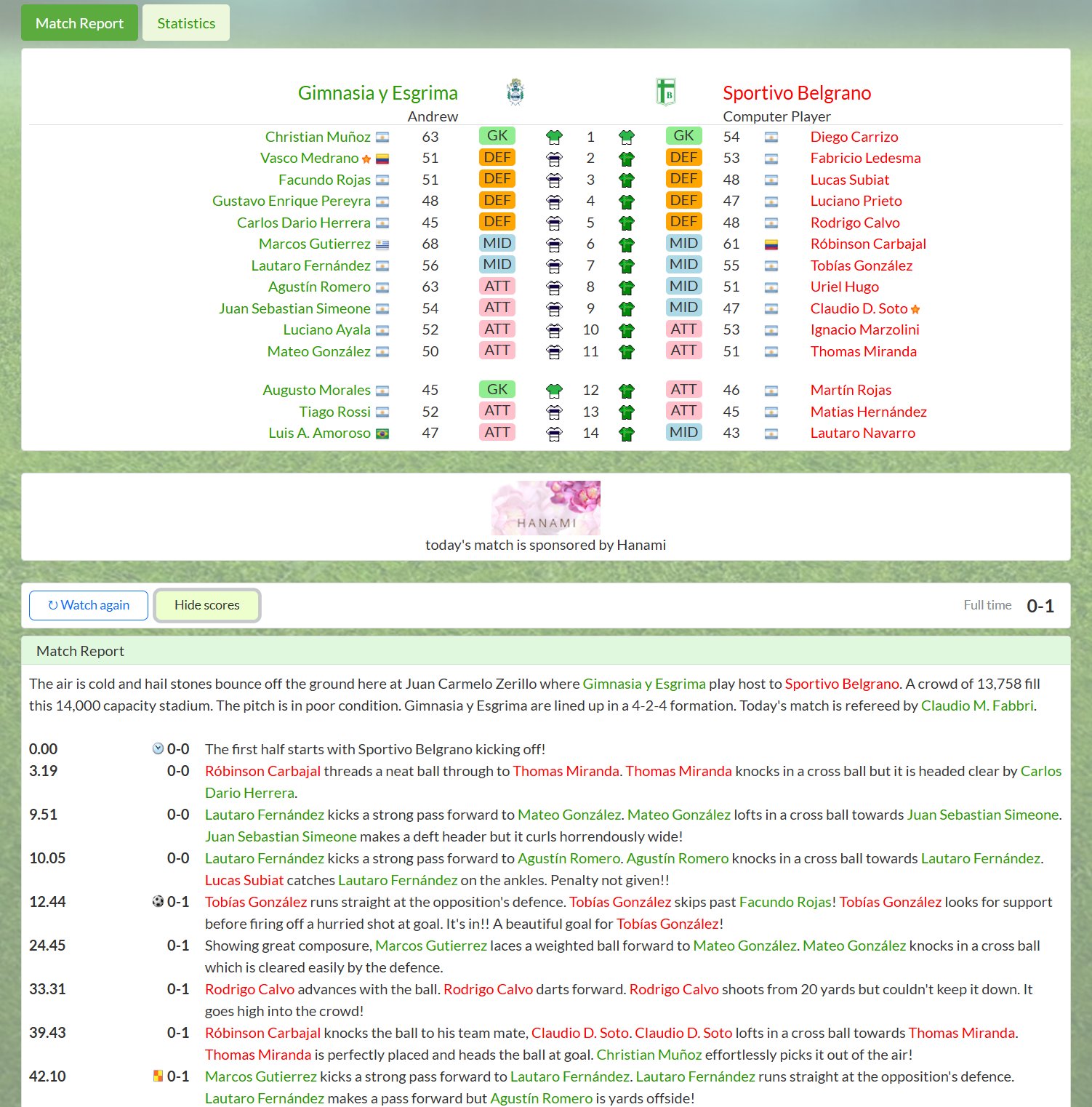
After a turn, open the match report from your team page to see how the game went, check the league table in Standings > League Tables, and read your club news. Then get your team ready for the next one.
7. Buy and sell players
When you are ready to strengthen your squad, the Transfers menu has the transfer market, where clubs list players for sale, and a player search to find the player you need. Make a bid and the selling club decides whether to accept it. You can also put your own players on the market. A player who has just changed clubs cannot be transferred again for a few weeks. See Transfers for how it all works.
8. Join in
FootieManager is played against real people, and many of them like to talk football. The Community menu has the noticeboard, the chat room and the game newspaper.
Going away? Turn on holiday mode in Manager > Settings, and your assistant will look after your team for up to two weeks. It switches off when you next log in.